Use case · Baby & kids
Personalized baby gifts with JUNO
JUNO lets gift shoppers add a baby's name and birth date and see them on the product before ordering. The text can take the product's own colour, so a blue blanket shows a blue name.
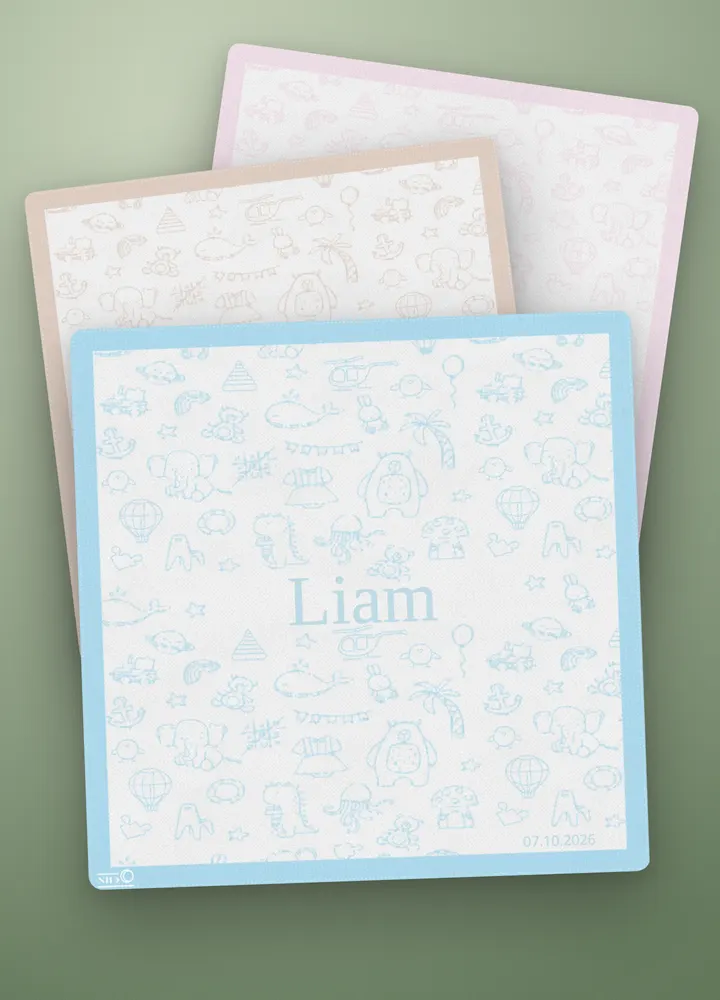
What the shopper does
- Pick the colour and material. Colour and material are the product's variants. Every combination has its own photo.
- Write the name. The name appears on the blanket in a serif font, in the blanket's thread colour.
- Add the birth date. A date picker fills in the date, shown in a fixed format.
- Add to cart. On desktop the template has 2 steps; on mobile it has 5.
The preview combines the selected product photo with the shopper's placed text or artwork.
What the merchant gets
Each order arrives in the Shopify admin with:
- The variant for the chosen colour and material.
- The name and the date as line-item properties.
- A print-ready PNG for each configured print area, rendered at 300 DPI when calibrated and linked on the order.
- Use the PNG as a reference for name and date placement; prepare any machine-specific knitting or embroidery files separately.
JUNO features it uses
Build this setup
Use these guides to adapt the example to your products:
- Image swatch — Show material and texture samples as selectable options, using reusable images from a Swatch palette.
- Text box — Place a shopper’s name, initials or short message on the product and control its appearance and allowed length.
- Date picker — Collect a date, choose how it is formatted and decide whether to show it on the product or send it only with the order.
- Product views — Match product photos to a view and Shopify option combination so shoppers see the item they are personalizing.
- Swatch palettes — Create reusable material and color samples for Image swatch properties, with named photos that match your option values.
Try it
The baby blanket is one of the products in thelive demo: personalize it, then press Add to cart to see the order the merchant receives.